Office, OpenDocument and SQLite
Accepts .docx, .xlsx, .pptx, .odt, .ods and .odp files, SQLite .db databases and old .doc files. Anything else gets a best-effort readable-text extraction as a last resort.
 Platform / Sign in ↗ES
Recover readable content from damaged documents and SQLite files directly in the browser, without uploading the file.
Released open-source tool · ongoing development; current availability not independently verified.
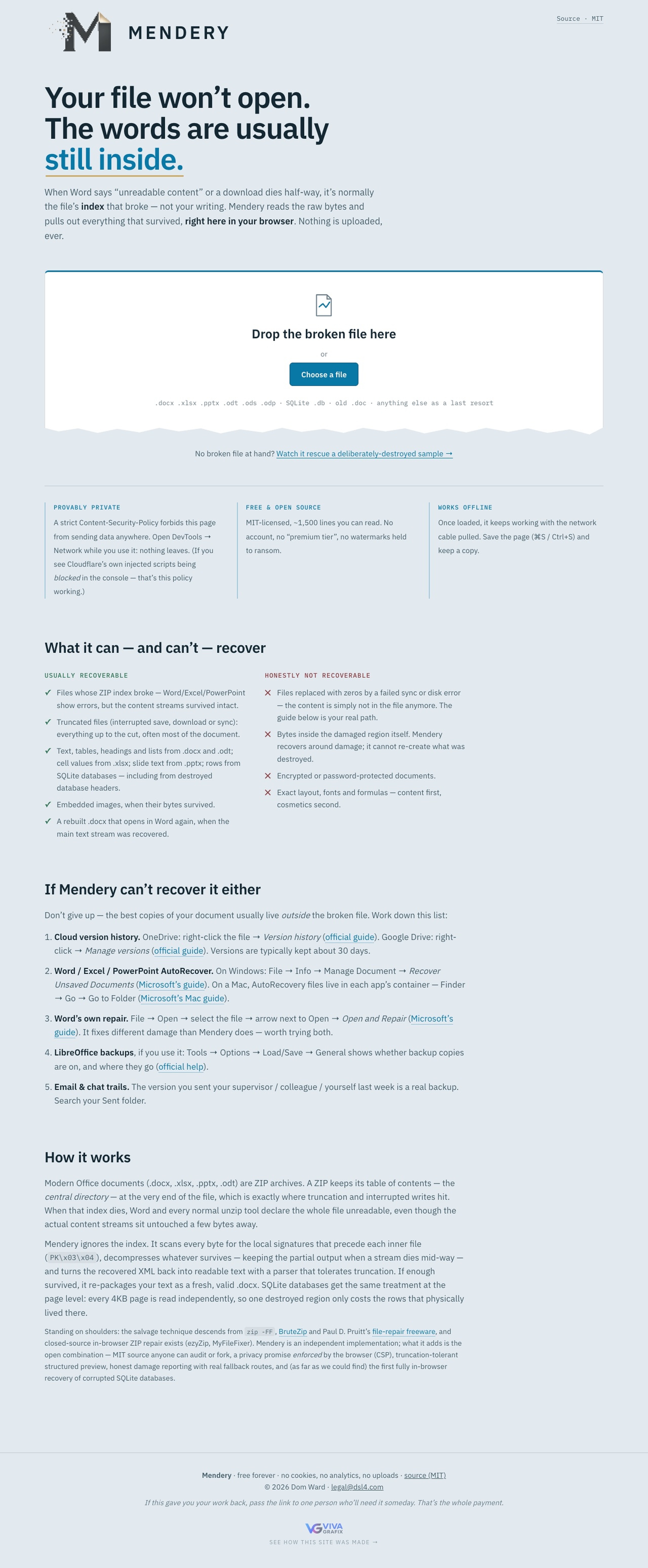
A damaged document index can make a file unreadable even when useful content survives. Mendery searches the underlying bytes and recovers what remains, with an honest account of what it could salvage.
Visit Mendery ↗The recovery engine scans ZIP local-file headers, preserves partial decompression output and scavenges SQLite pages. It uses a vendored MIT decompression library. A restrictive browser content-security policy blocks network transmission. Developed by DSL4 and released under MIT.
Mendery is for anyone holding a document that will not open: Word reports unreadable content, a download stopped half-way, or a sync client damaged the file. It also handles damaged SQLite databases. It is meant for people who do not want to send a private document to an online repair service just to learn whether anything can be saved.
Accepts .docx, .xlsx, .pptx, .odt, .ods and .odp files, SQLite .db databases and old .doc files. Anything else gets a best-effort readable-text extraction as a last resort.
Copy all recovered text, download it as a .txt file, or download a rebuilt .docx that opens in Word when the main text stream survived. Spreadsheet sheets and database tables export to CSV.
Embedded images are listed separately when their bytes survived, and each can be saved with a click. Long documents are previewed in part, but the downloads always contain everything that was recovered.
If a file was overwritten with zeros, Mendery says so plainly and points to routes that often still work: cloud version history, Office AutoRecover, Word’s Open and Repair, LibreOffice backups and copies you emailed.
Once the page has loaded it keeps working without a network connection, and you can save a copy of the page to keep. A built-in demo destroys a sample document in your browser, then recovers it.
Mendery is free, with no account, no premium tier, no cookies and no analytics. Open mendery.dsl4.com, drop the damaged file on the page and read the result. The source is published under the MIT licence and needs no build step, so it can also be served locally from any static file server.